

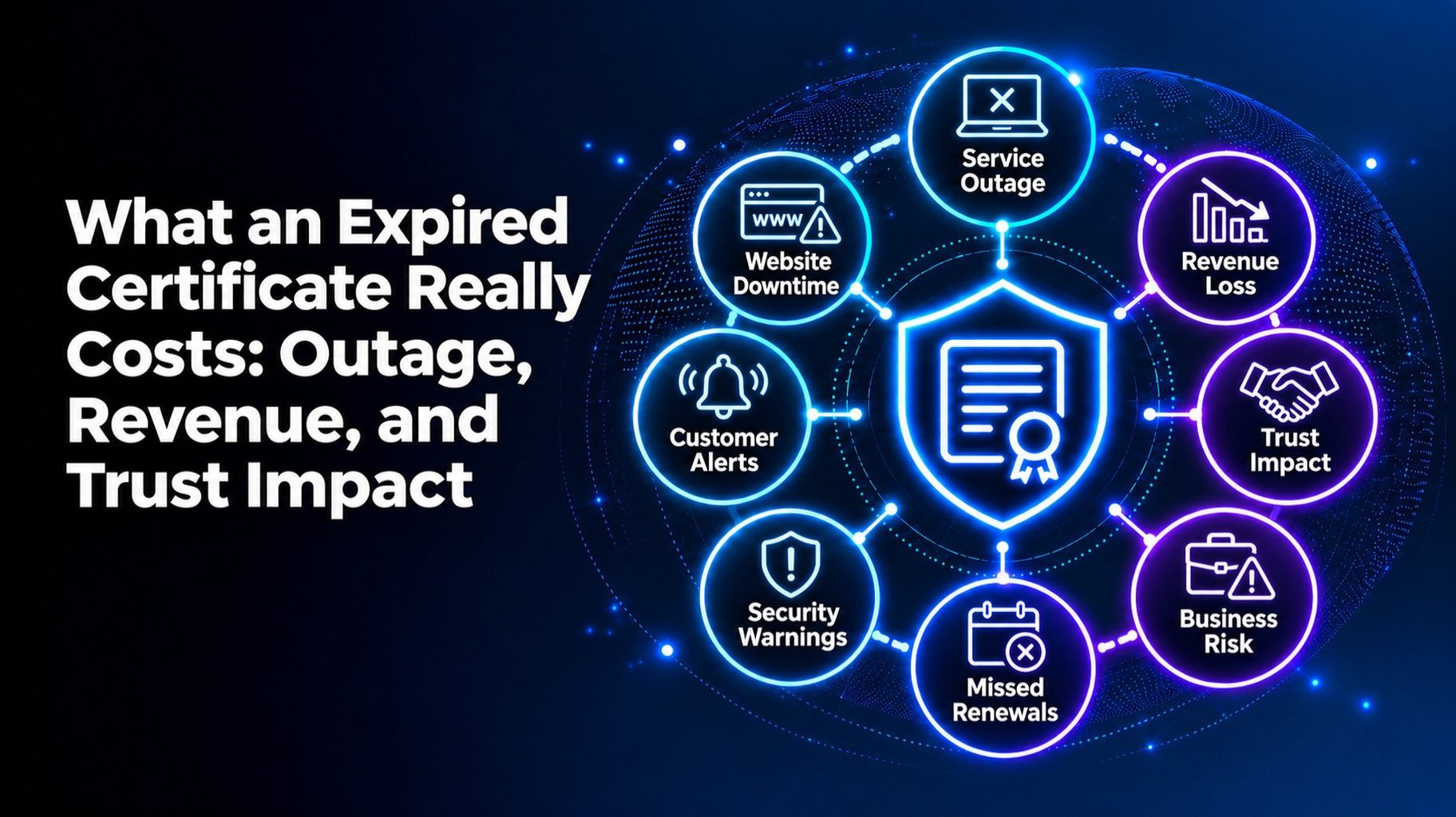
What an Expired Certificate Really Costs: Outage, Revenue, and Trust Impact
There are three possibilities for an expired certificate. First are the outage, downtime, and emergency work. Second is lost revenue from sales and transactions that do not happen. Thirdly, trust, which includes customers, partners, and auditors. The first two can be counted easily. The third often costs more than the others.
An expired certificate is a small file that can be easy to miss. In this guide, you’ll observe each outcome, two real examples, and a simple way to estimate your own number. You’ll also learn how to prevent it.
What Happens When a Certificate Expires
Once a certificate expires, browsers display a security warning, and many visitors will leave. APIs stop connecting. Trusted Systems refuse to talk to each other. Logins, payments, and email may fail without warning. The service may still be running. Nobody can use it safely.
The Outage Cost
This is the first outcome you see. People stop their work to find the cause. Teams rush to get a hold of the certificate, its owner, and all the places where it is. installed. Planned projects get delayed. Credits or penalties may follow if you have service-level agreements.
Our expired certificate in production incident response runbook shows how to shorten the scurry. A quicker fix means a lower bill.
The Revenue Cost
Every minute offline can mean lost sales. Customers can’t check out. Partners’ API are not successful. Support tickets pile up. Some buyers may never return.
The math is simple. Multiply the hours of downtime by the revenue you earn per hour. Then add the cost of the staff who fix it.
The Trust Cost
A security warning tells visitors your site isn’t safe. Even after the fix, some customers still remember. Your processes may be subject to questioning by the partners. It can be identified as a control failure by the auditor.
A lapse certificate can also cause your very own tools to become blinded. The Equifax breach case: The device that was used to monitor network traffic was down for 19 months due to an expired certificate. Equifax didn’t notice any data walking out the door. It was just one of several mistakes in that instance. It still demonstrates the big fallout that can result from a little slip-up.
Hidden Costs People Forget
Some costs don’t show up on the first report:
- Extra support tickets and refunds
- After-hours and overtime work
- Delayed releases while engineers fix the issue
- Time spent on the post-incident review
- Audit findings and follow-up work
Include these in your estimate. They are real, even when they’re spread across teams.
Real-World Examples
- Equifax, 2017. An expired certificate on a monitoring device left traffic uninspected. The breach affected 148 million people.
- Microsoft Teams, 2020. An expired authentication certificate kept millions of users from logging in. It took about eight hours to fix.
Big companies with big security teams still get caught. Smaller teams face the same risk.
How to Estimate Your Own Cost
Use this simple formula:
- Lost revenue: Hours offline × revenue per hour
- Emergency work: People × hours × hourly cost
- Penalties: SLA credits or fines, if any
- Trust cost: Churn, refunds, and extra support work
Here’s an example. An online store earns $5,000 an hour. An expired certificate takes checkout offline for four hours. That’s $20,000 in lost sales. Add 10 staff working 3 hours at $50 an hour, and that’s $1,500 more. The total is $21,500 before any trust factor. These numbers are examples, not averages.
How to Prevent the Cost of an Expired Certificate
Prevention costs far less than recovery. Follow these six steps:
- Build one inventory. Find every certificate across your network, cloud, and devices.
- Name an owner and a backup. Do it for every certificate.
- Set early alerts. Our guide on certificate monitoring and expiry alerts explains what to track and who to notify.
- Automate the safe renewals first. Standard website certificates are a good start.
- Test every renewal. Confirm the new certificate is live.
- Review your setup each quarter. Fix gaps before they grow.
Missed alerts and unowned certificates cause most outages. Our guide on common digital certificate expiration mistakes and how to prevent them covers more.
What to Look for in Tools That Prevent Expiry
The best certificate lifecycle management solutions have the following characteristics:
- Automatic discovery of public and private certificates
- Single inventory with named owners and backups
- Alerts with escalation rules
- Renewal and installation automation
- Reports and audit trails
If you’re comparing tools, use our practical evaluation checklist for enterprise certificate lifecycle management solutions.
Prevent the Cost of an Expired Certificate With AppleShine Tech
Prevention works best when it runs on its own. That’s where AppleShine Tech can help.
Our certificate lifecycle management solution is part of a complete certificate lifecycle management service. It encompasses discovery, inventory, issuance, deployment, monitoring, renewal, revocation, and retirement.
Here’s what you get:
- One view of internal and external certificates, with clear owners
- Support for public CAs and private PKI
- Renewal automation using ACME, SCEP, or EST, where your setup supports them
- Alerts, approval history, and audit trails for reviews
We work with your existing PKI and certificate authorities, so you don’t have to start over.
Conclusion
An expired certificate costs you in three ways. There’s the outage, the lost revenue, and the loss of trust. The first two are countable. The last one lingers. Preventing it takes a fraction of the effort of recovering from it.
Certificate lifespans are shrinking, so renewals will multiply. Build your inventory. Name owners. Finally, place a certificate lifecycle management solution behind the process to ensure timely renewals and that no one incurs the expense.
Ready to avoid the bill? Talk to AppleShine Tech about a review of your certificate setup, and share your questions in the comments below.
FAQs About the Cost of an Expired Certificate
What does an expired certificate cost?
It depends on your business. Costs include downtime, emergency work, lost sales, penalties, and lost trust. Use the formula above to estimate yours.
What happens when an SSL certificate expires?
Browsers show a security warning, and users may leave. APIs and connected systems can also stop working.
Does an expired certificate hurt customer trust?
Yes. A security warning makes visitors doubt the site. Some may not return, even after the fix.
How can I prevent expired certificate outages?
Keep one inventory, name an owner and backup for each certificate, set early alerts, and automate safe renewals.
How does a certificate lifecycle management solution prevent these costs?
It finds every certificate, tracks owners, sends alerts, and renews on time. That keeps certificates from expiring unnoticed.