

Enterprise Certificate Lifecycle Management Solutions: A Practical Evaluation Checklist
Introduction
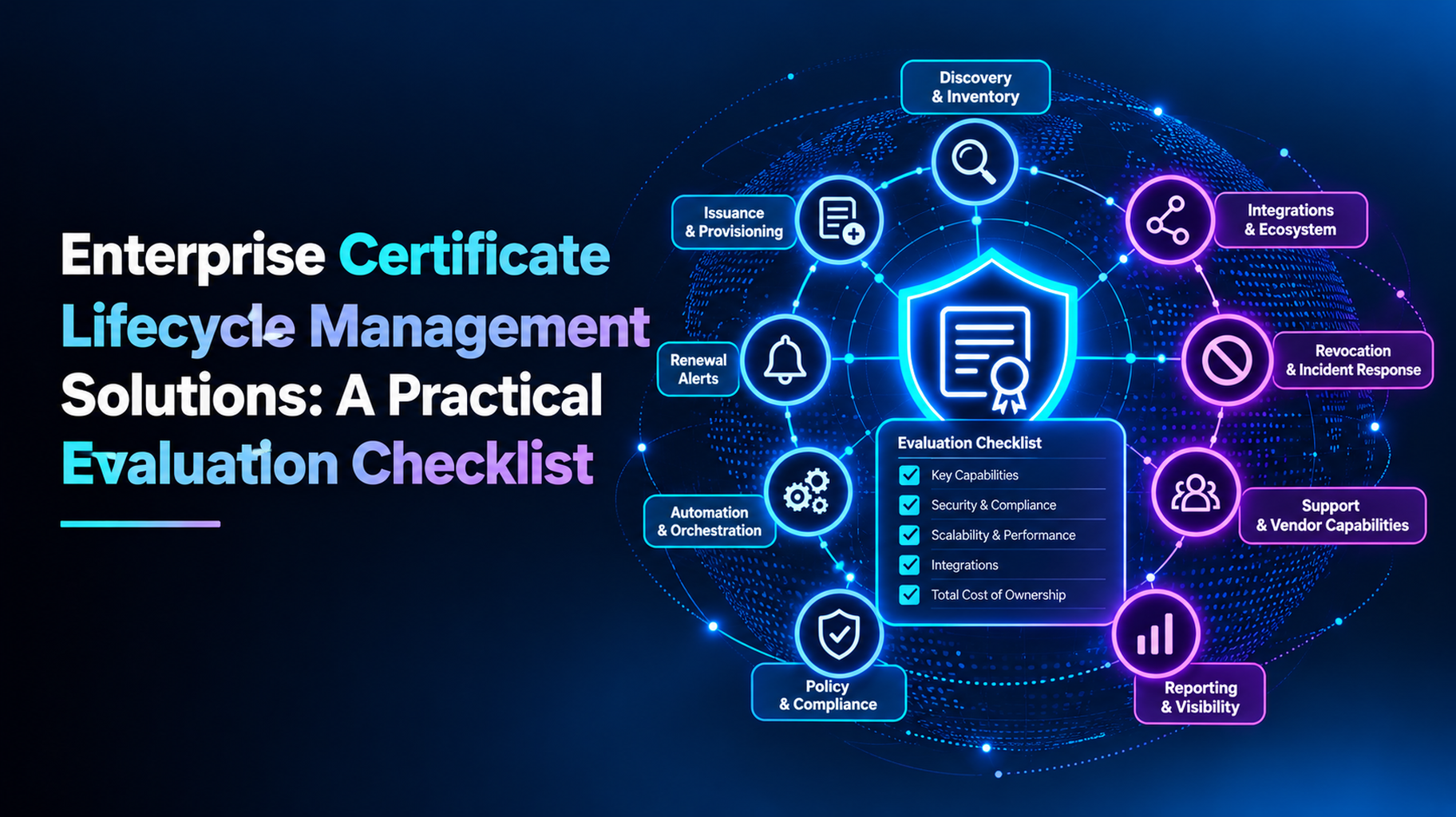
When assessing enterprise certificate lifecycle management solutions, there are seven criteria. These include discovery, renewal automation, CA/PKI support, policy and approvals, integrations, reporting, and vendor support. A tool that does all 7 well does not allow certificates to expire even if their expiry time is reduced. Score each vendor the same way with the following checklist.
It’s simple to purchase a tool. It is more difficult to select the right one, as many products are similar in a demo. Here you’ll find a step-by-step guide with a checklist to work through, questions to ask your vendors, and a basic test that will help you determine if they’re any good. This may be utilized when next reviewed. Let’s get started.
Why Enterprises Need CLM Solutions Now
Certificates are coming up for renewal more quickly. New TLS certificates issued to the public last up to 200 days. That drops to 100 days in March 2027 and 47 days in March 2029. A certificate, which had to be renewed once a year, is soon to be renewed eight times a year. It’s hard to keep track in a spreadsheet or on a calendar.
That’s why certificate lifecycle management (CLM) is important. It addresses all aspects, from discovery to retirement. If you’re not sure how it’s different from the basics of tracking, check out our guide on certificate management vs certificate lifecycle management.
The Evaluation Checklist for CLM Solutions
Here are seven checks for comparing vendors. Make notes on each as you read it.
1. Discovery and Inventory
If you can’t see, you can’t manage, so begin here. Ask how the tool is used to locate certificates.
- Scans networks, cloud accounts, and devices.
- Finds public and private certificates
- Demonstrates the owner, expiration date, and other essential information
- Maintains a fresh inventory without manual work
Be sure it includes the various types of certificates your enterprise will need to monitor, including TLS certificates, code signing certificates, and device certificates.
2. Renewal and Deployment Automation
The most time-saving feature is renewal. Verify that the tool is able to renew and install certificates without the user. Check for ACME, SCEP, and EST support. Discuss with them what servers, load balancers, and cloud services it can install on. Ask also about what will happen if the install fails. A good tool tests the new certificate and alerts your team.
3. CA and PKI Support
Most businesses have multiple certificate authorities (CAs). All of them should be compatible with your tool. Check support for public CAs and your private PKI. It should sit on top of your setup, not replacing it. Our CLM, PKI and key management guide illustrates the connections between these pieces.
4. Policy, Approvals, and Ownership
Automation needs rules. Ensure policies can be configured for key size, validity, and acceptable CAs. Look for approval workflows for risky certificates, such as wildcard and code signing. Each certificate should be owned by a named person and have a backup. Inquire about the tool’s ability to update owners when people change roles.
5. Integrations and Scale
A CLM tool should be compatible with the tools your team is already using. Look for integrations with cloud platforms, DevOps pipelines, ticketing, and security tools. Request some evidence that it can deal with your volume. 500 certificates can be fine with a tool, but 50,000 might be problematic. Ask for a reference customer of a similar size.
6. Reporting and Audit
Auditors pose tough questions. Ensure that the tool documents all the issuances, renewals, approvals, and revocations. Search for pre-made reports and dashboards. You should be able to show who approved what, and when, in minutes instead of days.
7. Vendor Support and Total Cost
Look beyond features. Inquire about training, support hours, and on-boarding support. Look at all costs, such as setup, per-certificate fees, and extras. Also ask about the vendor’s frequency of updating the product with new rules, e.g., 47-day certificates.
Quick Scorecard: What the Best CLM Solutions Share
Mark a rating from 1 to 5 on each check for each vendor. The best CLM solutions have the following characteristics:
- Complete discovery of public and private certificates.
- Automated renewal and installation.
- Support of all your CA/PKI
- Policy and approval controls
- Wide integrations that scale.
- Clear audit reports
- Responsive vendor support
Add up the scores. Then compare the totals on a side-by-side basis.
Questions to Ask CLM Vendors
Take these to all demos:
- How do you find certificates we don’t know about?
- What renewals are you able to fully automate today?
- What if a renewal or install is not successful?
- Which CAs and PKI platforms do you support?
- What is your process for approving high-risk certificates?
- How are you preparing for 47-day certificates?
Then request a demo with your setup. Test some non-critical systems prior to rolling out further.
Enterprise Certificate Lifecycle Management Solutions With AppleShine Tech
Selection of a tool is just half the task. You also need a team that puts it in place on your systems. That’s where AppleShine Tech can come in handy.
Our certificate lifecycle management solutions for enterprises are part of a comprehensive certificate lifecycle management service. It encompasses discovery, inventory, issuance, deployment, monitoring, renewal, revocation, and retirement.
Here’s what you get:
- One perspective of internal/external certificates, where the owners are clearly visible.
- Support for public CAs and private PKI
- Automate renewals with ACME, SCEP, or EST if you can do so.
- Alerts, approval history, and audit trails for reviews
We integrate with your current PKI and certificate authorities, so you don’t need to re-implement them.
Conclusion
The right CLM tool saves time, reduces outages, and makes auditors happy. The incorrect one is a work burden. Compare vendors using the checklist for discovery, automation, CA support, policy, integrations, reporting, and support. Next, try your top choices with your own system.
Certificates will last just 47 days by 2029, and taking early selection can give your team breathing space for a successful roll-out. Start with an inventory. Give each vendor a score for each. Next, choose the enterprise certificate lifecycle management solution for your systems and team.
Ready to compare options? Talk to AppleShine Tech about a review of your certificate setup.
FAQs About Enterprise Certificate Lifecycle Management Solutions
What is a certificate lifecycle management solution?
It’s software that manages certificates from discovery to retirement. It finds certificates, renews them, installs them, and keeps records for audits.
What features should enterprise CLM solutions have?
Look for discovery, renewal automation, CA and PKI support, approval rules, integrations, and audit reports.
How do I compare CLM vendors?
Use the same checklist and the same 1-to-5 scores for each one. Then ask every vendor for a demo with your own setup.
Does a CLM solution replace my PKI or CAs?
No. CLM sits on top of your existing PKI and certificate authorities. It manages the certificates they issue.
Do I need a CLM solution for 47-day certificates?
No rule requires it, but most enterprises will need one. About eight renewals a year per certificate is too much to track by hand.